Quick answer: An automated order processing portal is a B2B website where buyers place orders themselves, the system checks price, stock and credit by rules, and approved orders sync to your ERP with no re-typing. Your team handles only the exceptions.
B2B distributors and manufacturers still re-key orders from email, phone and PDF. An ordering portal moves that work to the buyer and to system rules. This guide shows the 6-step workflow, the tasks it automates, the features to require, and how to roll it out and measure it.
What Is an Automated Order Processing Portal?
An automated order processing portal is a self-service ordering website for wholesale buyers that validates each order and sends it to your ERP without manual entry. B2B automated ordering differs from consumer ecommerce in 3 ways: each buyer sees their own catalog and contract prices, orders follow rules such as minimum quantities and credit limits, and the order feeds an ERP (enterprise resource planning system, such as NetSuite or SAP Business One) instead of a simple store backend.
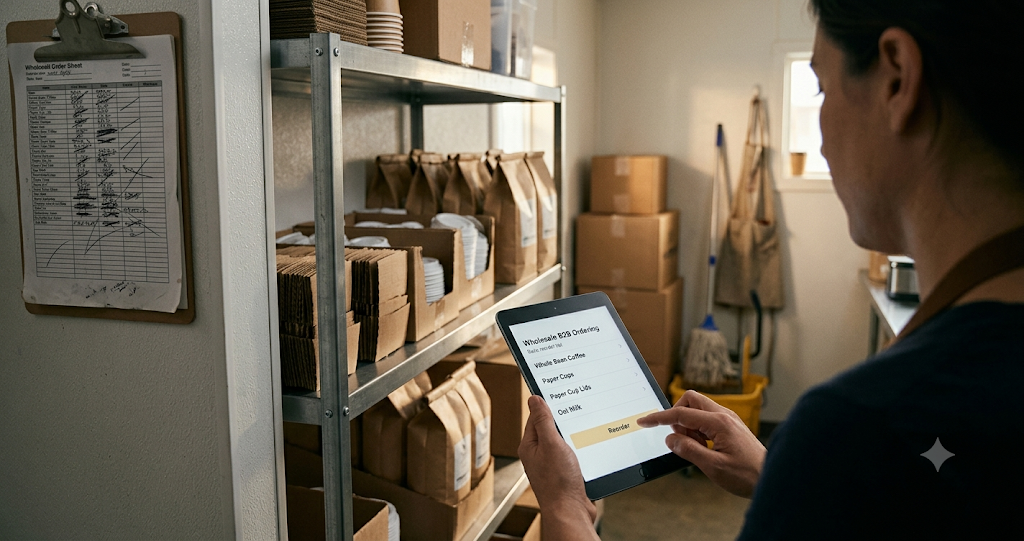
Example: a café chain logs in Monday morning, reorders last week’s coffee, cups and lids for 4 locations, and gets a confirmation in under a minute. Nobody on your team touches the order until it reaches the warehouse.
How Does Automated Order Processing Work?
A portal order moves through 6 steps.
1. Customers Submit Orders Through the Portal
The buyer logs in, sees their catalog and prices, and builds a cart by search, quick order by SKU, CSV upload or reorder from history.
2. The System Validates Order Details
Rules check each line: valid SKU, minimum order quantity (MOQ), case pack, unit of measure, contract price and the account’s credit limit.
3. Inventory Availability Is Checked
The portal reads live stock from the ERP or warehouse management system (WMS) and shows available quantities and back-order dates before the buyer submits.
4. Approved Orders Sync With the ERP
The portal creates a sales order in the ERP through an API (application programming interface, a direct system-to-system link). Orders that fail a rule go to an exception queue for a person.
5. Order Confirmation Is Sent Automatically
The buyer gets an email confirmation with lines, prices and expected ship date, and sees the same details in their order history.
6. Orders Move to Fulfillment
The ERP releases the order for pick, pack and ship, and the portal updates the buyer with shipping status and the invoice.
Which Order Processing Tasks Can a B2B Portal Automate?
A B2B portal automates 8 order processing tasks:
| Task | Manual way | Automated in the portal |
|---|---|---|
| Order entry | Staff type the order | Buyer submits it |
| Price lookup | Staff check contract sheets | Customer price list applies |
| Stock check | Staff call the warehouse | Live stock shows in cart |
| Rule checks (MOQ, case pack) | Staff catch errors later | Portal blocks invalid lines |
| Credit check | Finance reviews | Credit limit rule holds the order |
| Confirmation | Staff email the buyer | Sent on submission |
| Repeat orders | Buyer emails the same list | 1-click reorder |
| Order status | Buyer calls for updates | Tracking in order history |
Why Do Distributors Need Automated Order Processing?
Distributors need automated ordering systems because manual order handling scales with headcount, not with sales. Emporix’s 2026 study of 500 B2B executives found 60% of B2B companies spend more than a quarter of their commerce working hours on manual tasks.
Manual Order Entry Increases Processing Time
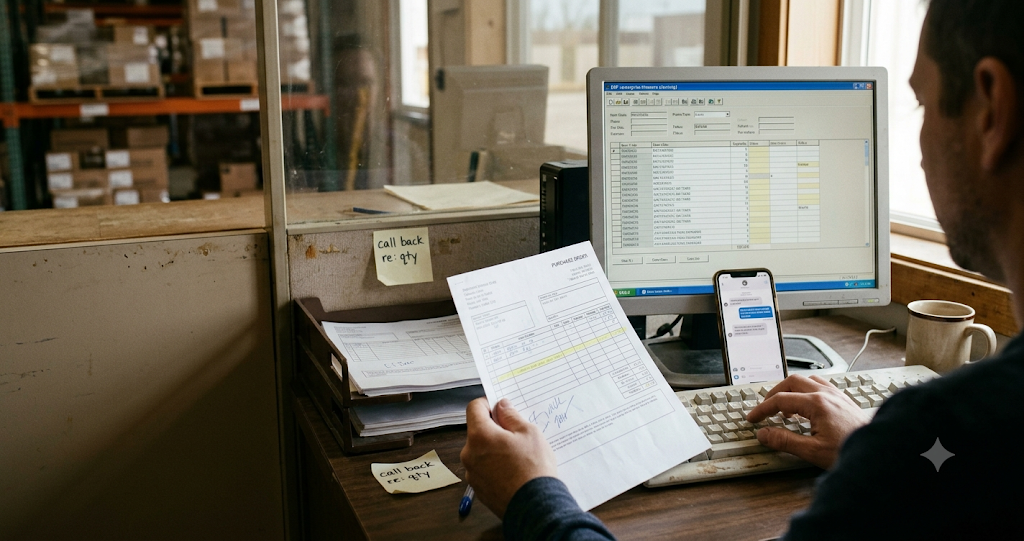
Each emailed order needs a person to read, match and type it. At 10 minutes per order and the US median order clerk wage of $22.20 an hour (BLS, 2025), 1,000 orders a month cost $3,700 in entry labor.
Pricing Errors Affect Customer Orders
Staff applying the wrong price list create credit notes, disputes and lost trust. A portal applies each account’s contract price automatically.
Inventory Discrepancies Delay Fulfillment
Orders accepted without a stock check turn into back orders and split shipments. Live stock in the portal sets the right expectation before the buyer submits.
Repeated Orders Create Unnecessary Work
Restaurants, retailers and clinics reorder the same core items on a fixed schedule. Re-typing a standing order adds no value; reorder from history removes it.
Poor Order Visibility Increases Customer Queries
Buyers call and email to ask “where is my order?”. Order history and tracking answer that question without a call. Emporix (2026) found 74% of B2B buyers would switch suppliers over a poor digital ordering experience.
What Features Should an Automated B2B Ordering Portal Include?
Require 6 features before you choose a portal.
Customer-Specific Catalogs and Pricing
Each account sees only its approved products, contract prices, tiered discounts and payment terms such as net 30.
Bulk Ordering and Quick Reordering
Buyers order by SKU, upload a CSV of 100+ lines, or repeat a past order in 1 click. Multi-location buyers pick a ship-to address per order.
Automated Order Validation
The portal enforces MOQ, case packs, units of measure, credit limits and approval workflows (for example, a store manager’s order waits for head-office approval above $2,000).
Inventory and Warehouse Synchronization
Stock syncs from the ERP or WMS by warehouse, so buyers see what can ship and from where.
ERP and CRM Integration
Orders, customers, prices and invoices sync with your ERP; account activity syncs with your CRM (customer relationship management system, such as HubSpot or Salesforce) so sales reps see every order.
Automated Notifications and Order Tracking
Buyers get confirmation, shipping and invoice emails, and track every order in their account. See what a B2B portal includes.
How Does a B2B Ordering Portal Connect With ERP and Other Business Systems?
A B2B ordering portal connects to your ERP through an API or a pre-built connector, and syncs 5 types of data in 2 directions.
| Data | Direction | Sync timing |
|---|---|---|
| Orders | Portal → ERP | Real time, on submission |
| Stock levels | ERP/WMS → portal | Real time or every few minutes |
| Customers and price lists | ERP → portal | On change, or nightly batch |
| Products and catalog | ERP/PIM → portal | On change, or nightly batch |
| Shipments and invoices | ERP → portal | On change |
Real-time sync sends each change the moment it happens; batch sync sends changes on a schedule. Orders and stock need real-time sync; prices and catalogs work on a nightly batch. Buyers with EDI (electronic data interchange) keep ordering through EDI, and both channels write to the same ERP. See how a wholesale ordering portal handles each order.
How Does Automated Ordering Help Wholesale Distributors?
Automated ordering helps wholesale distributors in 5 ways:
- Less entry labor: staff stop re-typing portal orders.
- Fewer errors: rules block invalid SKUs, quantities and prices before submission.
- 24/7 ordering: buyers order after hours, and orders wait in the ERP by morning.
- Faster fulfillment: validated orders reach the warehouse the same day.
- More sales capacity: reps spend time on new accounts instead of order entry.
How Can You Implement an Automated Order Processing Portal?
Roll out a portal in 5 steps, starting with your top repeat buyers.
1. Map Your Existing Order Process
Count orders by channel for 1 month: email, phone, PDF, WhatsApp, EDI and reps. List every check your team runs on an order.
2. Define Your Automation Rules
Turn those checks into rules: MOQ, case packs, credit limits, approval limits and which orders go to a person.
3. Connect Your Business Systems
Connect the portal to your ERP, inventory and CRM. Load customer accounts, price lists and catalogs.
4. Test Real Customer Orders
Invite 5–10 repeat buyers. Run their real orders through the portal and compare each ERP sales order to what they ordered.
5. Monitor and Improve the Workflow
Review the exception queue weekly. Fix the rule or the data behind each repeated exception, then invite the next group of buyers. Orders that still arrive by email can flow in through order capture.
How Do You Know Whether Your Order Processing Automation Is Working?
Track 5 KPIs from the first week, and compare them with your pre-portal baseline.
| KPI | What it measures | How to calculate |
|---|---|---|
| Touchless order rate | Orders that reach the ERP with no human edit | Touchless orders ÷ all portal orders |
| Portal adoption | Share of orders placed in the portal | Portal orders ÷ all orders |
| Order cycle time | Time from order to warehouse release | Release time − submit time |
| Order error rate | Orders corrected after submission | Corrected orders ÷ all orders |
| Order status queries | Calls and emails asking about orders | Count per week |
Frequently Asked Questions
Can a B2B Portal Automate the Entire Order Processing Workflow?
It automates every standard order from submission to ERP and confirmation. Exceptions such as new customers, credit holds and custom requests still go to a person.
Can Automated Ordering Work With an Existing ERP System?
Yes. Portals connect to ERPs such as NetSuite, SAP Business One, Microsoft Dynamics 365 Business Central and QuickBooks through APIs or connectors.
Can Distributors Automate Bulk Customer Orders?
Yes. Buyers upload a CSV, order by SKU list or repeat a past order, and the portal validates every line.
Does Automated Order Processing Support Customer-Specific Pricing?
Yes. The portal pulls each account’s price list from the ERP and applies contract prices, tiers and discounts automatically.
What Happens When an Order Contains Incorrect Information?
The portal blocks the line or holds the order. Invalid SKUs and quantities fail at checkout; credit or price issues go to the exception queue for review.
What Is the Difference Between Automated Ordering and Order Processing Automation?
Automated ordering is the buyer side: placing and repeating orders without email or calls. Order processing automation is the supplier side: validating, syncing and fulfilling those orders without re-keying. A portal does both.
Can Automated Supplies Ordering Work Through a B2B Portal?
Yes. Multi-site buyers such as clinics, cafés and offices set up standing lists of consumables and reorder them per location in 1 click.
Final Recommendation
An automated order processing portal moves order entry to the buyer and order checks to rules, so your team handles exceptions instead of typing.
Start with your 10 most frequent repeat buyers. Set up their prices and reorder lists, measure touchless rate for 30 days, then invite the next group.
Next step: see MyAtOnce in action and book a demo.
Sources
- Emporix, The Autonomous Commerce Shift 2026 (500 B2B executives, DACH region)
- U.S. Bureau of Labor Statistics, Occupational Employment and Wage Statistics, Order Clerks (SOC 43-4151), 2025 data via O*NET: median $22.20/hour